
Some mornings start in pure chaos — emails, to-do lists, alarms that go off way too early. But in my house, mornings now start with something much smoother: coffee from the xBloom Studio Coffee Machine. And let me tell you, this is how we brew it.
Before xBloom, I was a loyal Keurig user for years. It worked, sure, but every cup tasted a little… flat. And I always had that nagging guilt about tossing plastic pods in the trash, even the so-called “recyclable” ones. Switching to the xBloom Studio has been a complete upgrade — not just in taste, but in experience. Now, I can actually taste different notes in my coffee — bright citrus, smooth chocolate, even subtle floral flavors I never noticed before. The machine itself looks like a piece of modern art — sleek, sculptural, and minimal, the kind of thing you’d expect to see in a high-end design store. Available in both black and white, it’s as much a countertop statement piece as it is a coffee maker. And the coffee? Next-level — better flavor, fresher aroma, and no plastic waste in sight.
The Performance Factor
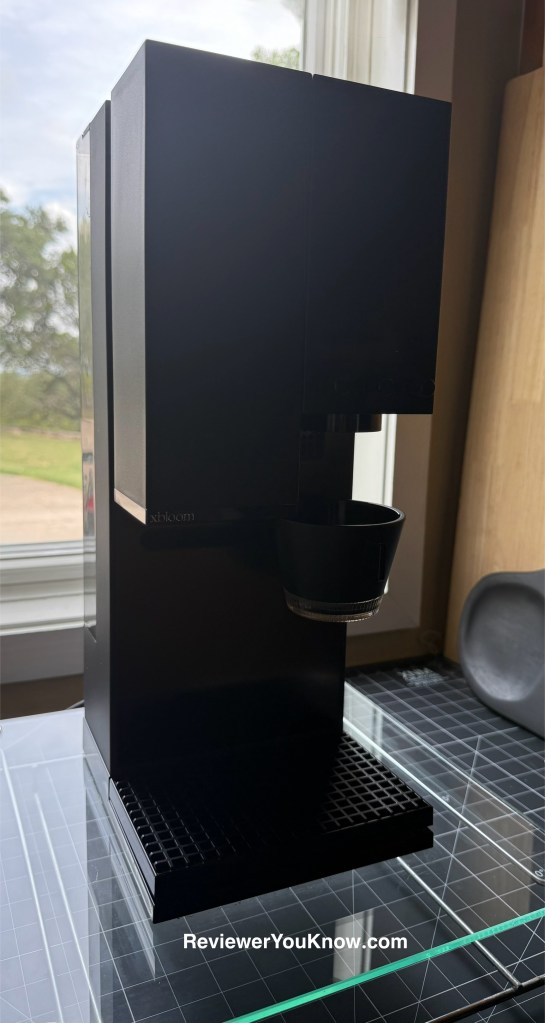
Watching the xBloom brew is like catching a private coffee performance. The pour-over style is mesmerizing: water measured and distributed with barista-level precision, steam rising, aroma filling the air.
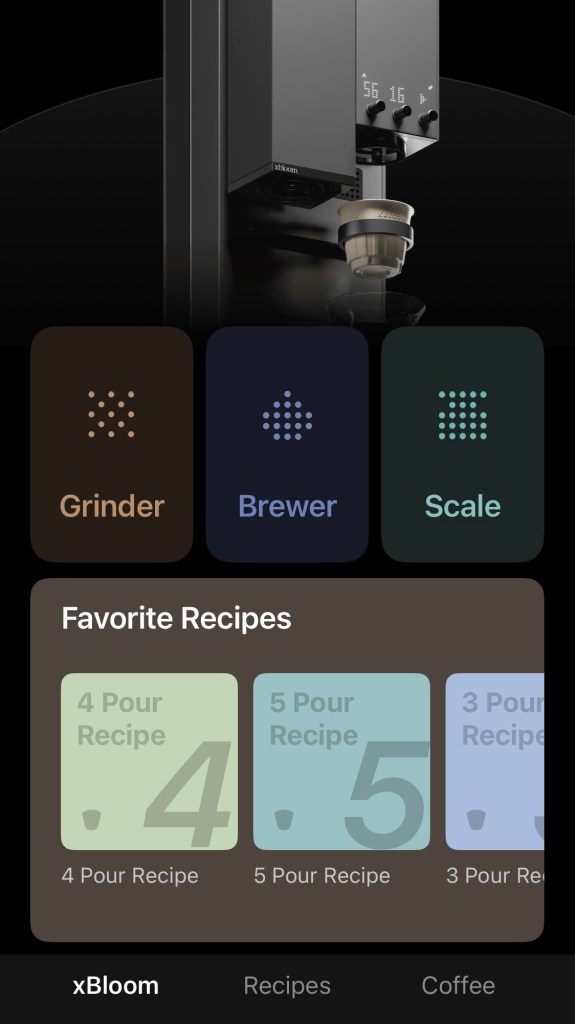
Unlike Keurig’s one-style-fits-all approach, the xBloom Studio lets you change the pour techniques — so whether you like a bold, fast pour or a slow, delicate extraction, you can experiment until you hit your perfect flavor profile. And it even has an app that lets you customize down to the smallest measurements and save these xBloom “recipes” for future brews.
And here’s one of my favorite parts: it’s all-in-one. The grinder and scale are built in, so there’s no need for extra gadgets cluttering your counter. With the Keurig, I always had to buy pods, store pods, and deal with the aftermath of pods. With the xBloom, I just enjoy fresh coffee and a clean counter.
Level Up Your Drinks with the xBloom App & Smart Pod Cards
One of my favorite aspects of xBloom is its tech-forward design. The xBloom app offers more than just convenience — you can explore an extensive library of brew recipes, create your own custom pour profiles, and even purchase fully recyclable pods directly from your phone.
What really sets the experience apart, however, is the brewing process itself: each pod includes a small card that you simply swipe on the machine, much like a Tesla key. This eliminates any need for scanning or guesswork and ensures a consistently perfect cup every time. It’s a thoughtful, futuristic touch that elevates the entire user experience. And for those who prefer flexibility, the xBloom also allows you to brew using your own coffee beans.

Flavor That’s Consistently On Point
Coming from a Keurig, this is where I noticed the biggest difference. Keurig coffee was convenient, but it never had the depth, aroma, or freshness I’d get at a coffee shop. With the xBloom, the beans are ground fresh, measured precisely, and brewed with care every single time.
Every cup tastes like I went out of my way to get it — but I didn’t. I just pressed a button.
And it’s not just coffee — I also purchased the Omni Tea Infuser, which I’ll be testing in a future post. I love that one machine covers both coffee and tea without waste.
xBloom Studio vs Keurig: At a Glance
| Feature | xBloom Studio | Keurig (Popular Models) |
| Coffee Quality | Freshly ground beans, cafe -style pour over | Pre-ground pods, basic extraction |
| Built-in Tools | Grinder + scale included | None |
| Customization | Adjustable pour techniques | Limited to pod type |
| Eco-Friendliness | No plastic cups, sustainable brewing | Relies on plastic pods |
| Design | Sleek, modern, minimalistic | Bulky plastic, utilitarian |
| Beverage Options | Coffee + tea (Omni Infuser) | Coffee, tea, hot cocoa (via pods) |
| Counter Space | One machine replaces grinder, scale, and brewer | Requires pod storage |
The Lifestyle Upgrade
Let’s be real: coffee isn’t just about caffeine, it’s about ritual. With my Keurig, I always rushed through it — pop in a pod, toss the pod, drink the coffee, move on. With the xBloom, the ritual itself feels like part of the luxury.
Pressing one button and watching the machine gracefully brew feels indulgent. And because it replaces multiple gadgets, my kitchen feels calmer and cleaner. No more clutter, no more plastic pods piling up, just a clean countertop and really good coffee.
I shot a quick video of mine in action so you can see it for yourself — because honestly, half the joy is watching it brew.
xBloom Studio Facts
Want to know what makes the xBloom Studio so special? Here are 20 quick facts on why it landed into my morning coffee routine.
- All-in-One Design: The xBloom Studio combines a grinder, brewer, and scale into one sleek machine.
- Three Brewing Modes: Choose Autopilot, Copilot, or Freesolo depending on how hands-on you want to be.
- Autopilot Mode: Pop in an xPod and the machine grinds, pours, and brews for you—no guesswork required.
- Copilot Mode: Build and save your own recipes in the app, then let the machine run them perfectly every time.
- Freesolo Mode: Go full manual and control grind, pour, temperature, and timing with the knobs.
- Built-In Grinder: 80 grind settings give you everything from espresso-fine to coarse for cold brew.
- Precision Scale: The integrated scale under the drip tray measures down to 0.1 g for spot-on ratios.
- Kinematic Spout: The smart pour spout can pour straight, spiral, or circular patterns for optimal extraction.
- App Visualization Tool: See your brew recipe in real time and fine-tune it with precision graphs.
- LED Matrix & Knobs: Sleek, tactile interface makes it easy to brew without even opening the app.
- Flexible Water Options: Use the built-in water tank or connect an external water source for endless brewing.
- Color Choices: Comes in Midnight Black and Moonlight White — minimal and counter-worthy.
- Omni Dripper 2: Anti-static design with fast flow rate for cleaner, more efficient brewing.
- Filter Compatibility: Works with Kalita 155 filters or xBloom’s recyclable xPods.
- Roaster-Crafted Recipes: Each xPod comes with a card programmed with the roaster’s exact recipe.
- Highly Customizable: Dial in grind size, brew ratio, bloom time, pour speed, and temperature.
- Café-Level Quality: Many reviewers say the xBloom brews rival those of professional baristas.
- Design Pedigree: Created by former Apple designers — minimalist, modern, and futuristic.
- Global Availability: Recently launched in the UK and featured at the 2025 London Coffee Festival.
- Continuous Updates: Firmware updates keep improving performance and adding new features.
Try Before You Buy
One of the coolest things about xBloom is that you don’t even have to commit right away — you can actually rent the coffee machine if you’re undecided. That’s a low-stakes way to see if it really fits your lifestyle before taking the plunge.
If you’re ready to upgrade from pods to pour-over, here’s my xBloom referral link for a little bonus with your brew.
Final Sip
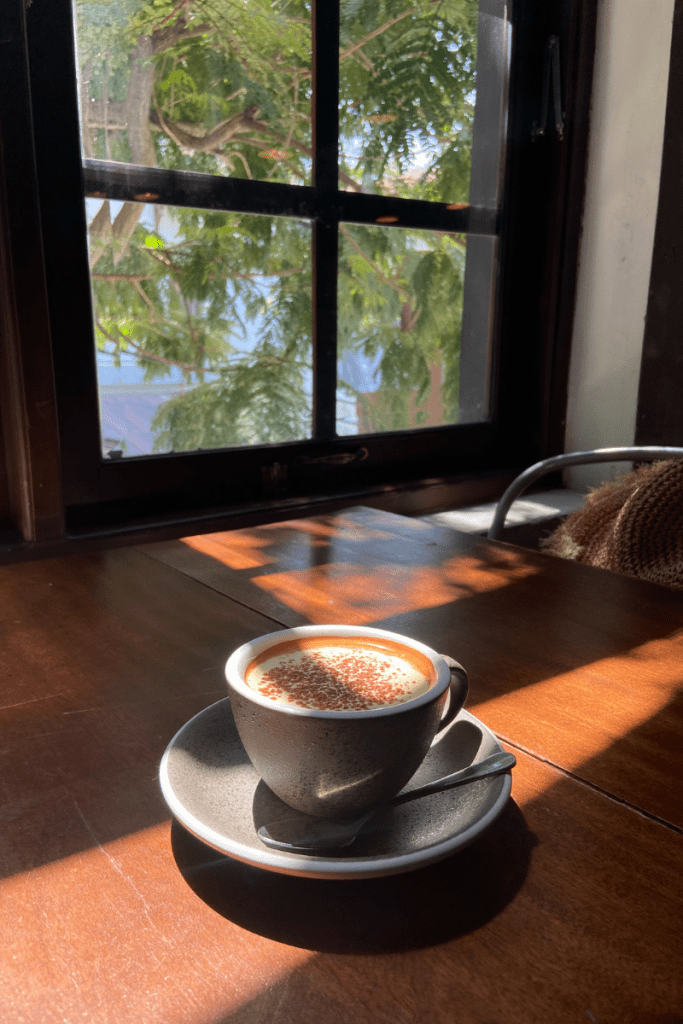
Switching from a Keurig to the xBloom Studio has been one of the best upgrades I’ve made in my daily routine. No more plastic pods, no more flat-tasting coffee, no more clutter. Just consistently delicious, café-quality coffee made at home.
Stay tuned — I’ll be testing the Omni Tea Infuser soon and sharing how it handles everything from green tea to herbal blends.



 Reviewer You Know
Leave a comment